

Native Hyperliquid shows you the top of the book. Underneath sit thousands of resting orders, each with an owner. 0xArchive returns aggregated levels with size and order count at full depth, then reconstructs the book order by order: every order ID, the wallet behind it, the full lifecycle. Native is the top of the book. 0xArchive is every order in it.
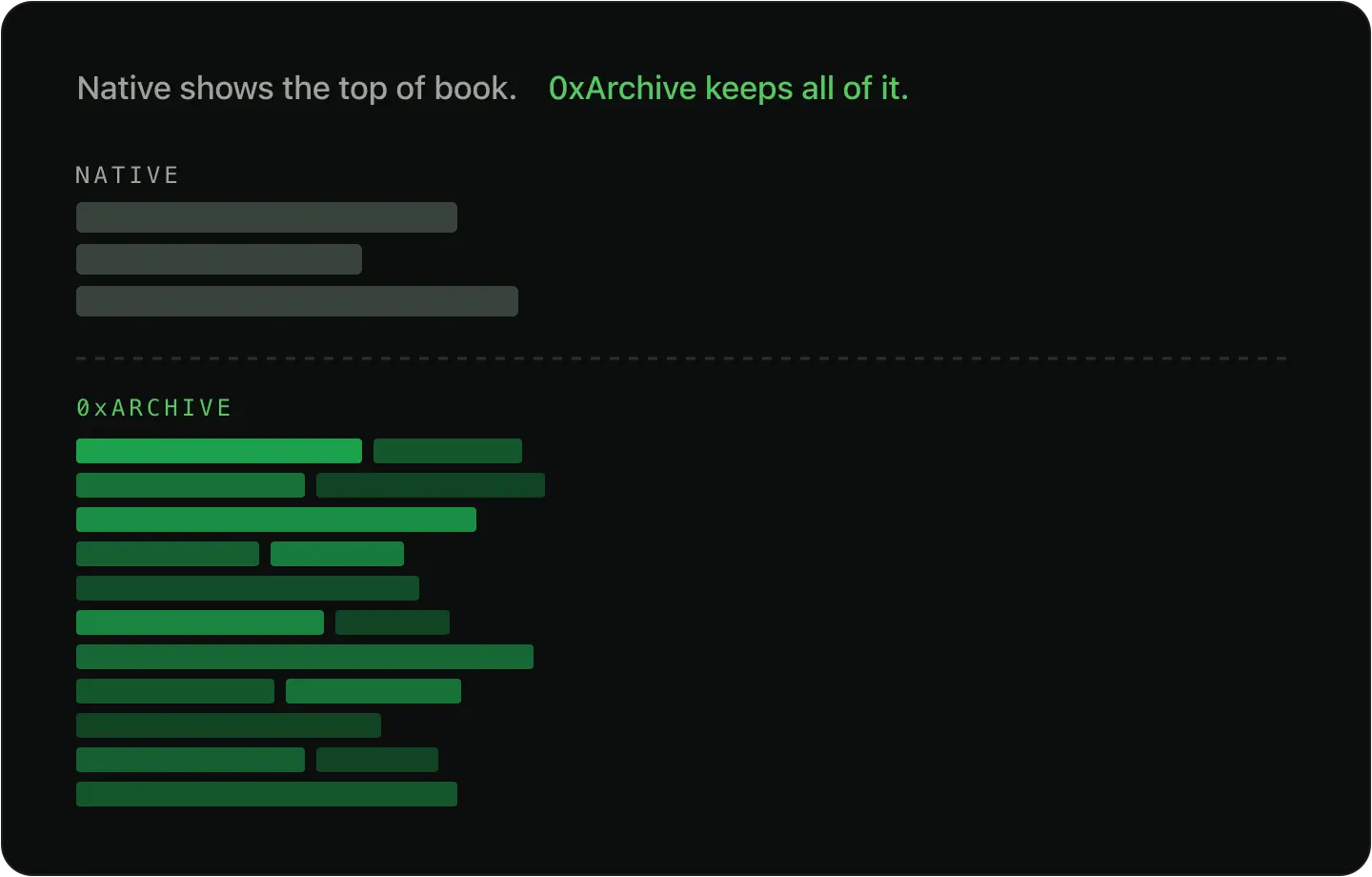
Short answer: native Hyperliquid order book access returns aggregated levels as periodic snapshots, enough for depth-at-a-glance. 0xArchive adds full-depth L2 with size and order count per price, and L4 reconstruction with every order ID, the wallet behind it, full lifecycle, and TP/SL. Trade history and L2 snapshots run back to April 2023. The full route catalog is on every plan, including Free; account limits control how much you can pull at once.
In 30 seconds
- Native Hyperliquid order book is aggregated top-of-book levels, pushed as periodic snapshots.
- 0xArchive L2 returns aggregated levels with size and order count per price, at full book depth.
- L4 reconstruction returns every individual order with its order ID and the wallet behind it, plus lifecycle and TP/SL.
- Trade history and L2 snapshots go back to April 2023. Check
/statusfor the exact span of each route. - Full route coverage and every venue are on every plan, including Free. Plans differ on credits, rate limits, concurrent queries, WebSocket scale, replay speed, export credits, and documented query or depth envelopes.
- Lighter order book history is tick-level with L3 order-level depth. HIP-3 builder perps run to L4 under the Hyperliquid namespace.
What order book data does Hyperliquid expose natively?
Native Hyperliquid gives you l2Book: aggregated price levels at the top of the book, returned as snapshots. That is the right surface for current depth and recent monitoring.
The constraints show up when you ask for history. Hyperliquid's public docs are explicit:
infotime-range responses return at most 500 elements or distinct blocks.userFillsByTimereturns at most 2000 fills per response, and only the 10000 most recent fills are available.- Rate limits specify 1200 weight per minute per IP, 10 WebSocket connections, and 1000 subscriptions.
Those are workable for venue access. They are not a deep historical order book. A recent book pull is one call. A continuous order-level record is a collection project: window walking, dedupe, gap checks, and state rebuild.
L2, L3, and L4 order book data, explained
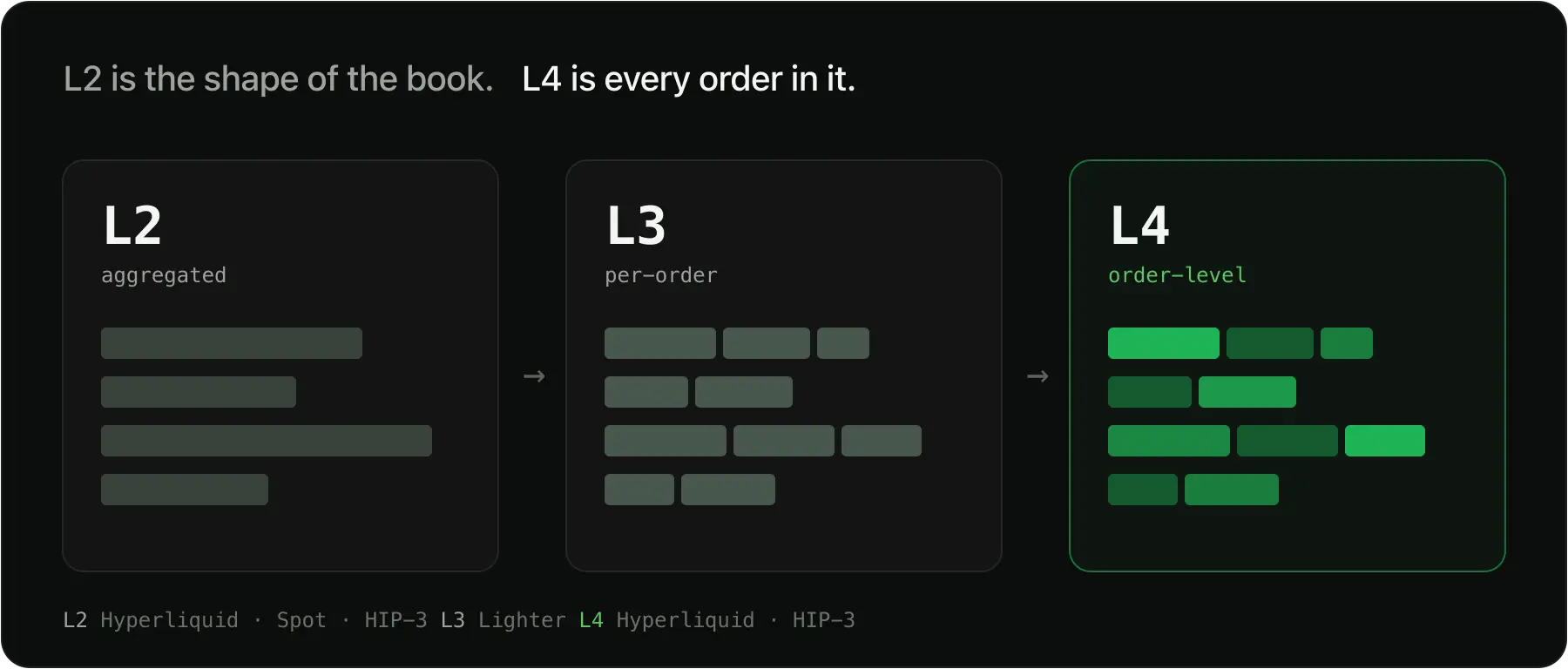
The order book has layers, and the layer you query decides which questions you can answer.
| Layer | What it is | Where 0xArchive serves it |
|---|---|---|
| L2 | Aggregated price levels, total size and order count per price, at full depth | Hyperliquid, Spot, HIP-3 |
| L3 | Every individual order at each price level | Lighter |
| L4 | Every individual order with order ID and wallet, plus full lifecycle (place, modify, cancel, fill) and TP/SL | Hyperliquid, HIP-3 |
Order-level depth is L4 on Hyperliquid and L3 on Lighter. L2 tells you what the book looked like. L4 tells you who built it and how it moved.
How far back does Hyperliquid order book history go?
Hyperliquid trade history and L2 book snapshots run back to April 2023. Full-depth L2 and L4 order-level reconstruction cover the more recent period. For the exact span of each route, check /status and the data-coverage endpoint rather than a number printed here, since those counts grow daily.
How to pull Hyperliquid order book data
You need an API key. Pass it as X-API-Key.
Pull the L2 book, with size and order count per level:
curl "https://api.0xarchive.io/v1/hyperliquid/orderbook/BTC/l2?depth=20" \
  -H "X-API-Key: $OXARCHIVE_API_KEY"
Reconstruct the L4 book, every order with its order ID and wallet:
curl "https://api.0xarchive.io/v1/hyperliquid/orderbook/BTC/l4" \
  -H "X-API-Key: $OXARCHIVE_API_KEY"
For history and behavior, the same pattern covers /v1/hyperliquid/orderbook/BTC/l4/history, /v1/hyperliquid/orders/BTC/flow, and /v1/hyperliquid/orders/BTC/tpsl. Full route shapes and response formats are in the Hyperliquid REST docs.
See HIP-3 L4 & TP/SL Order Data for how order lifecycle and trigger history land.
L2 or L4: which do you need?
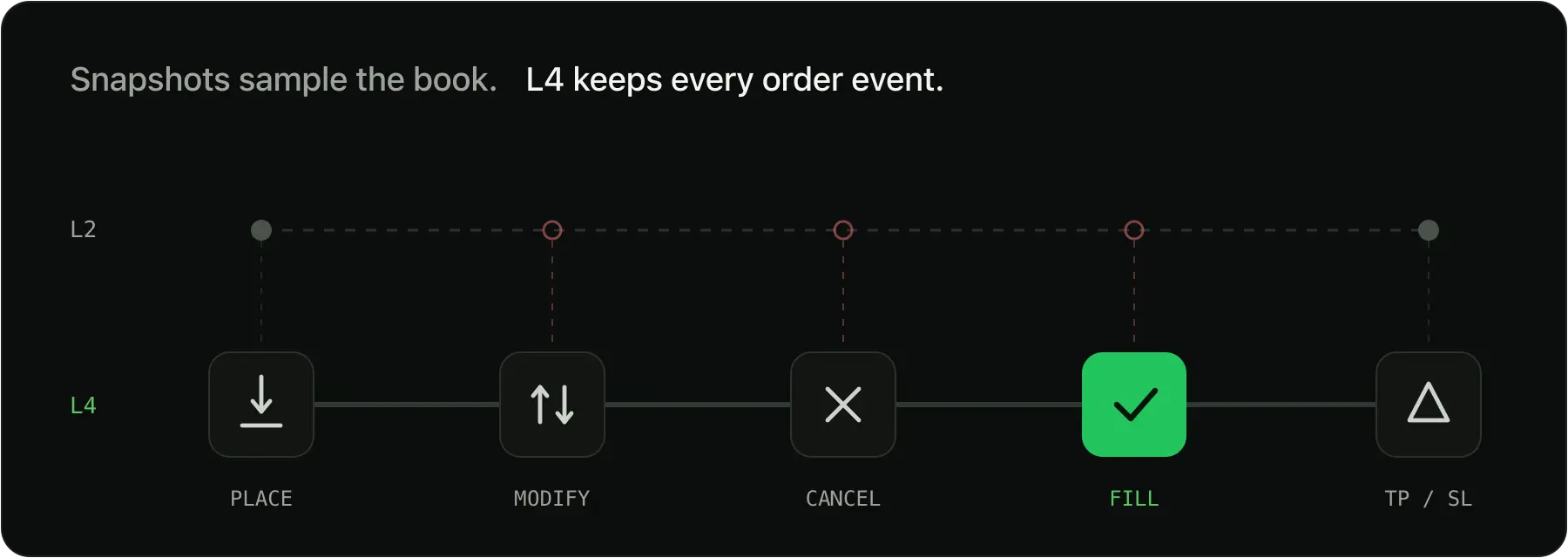
Start at the shallowest layer that still answers the question.
- L2 levels answer depth at a point in time, spread, and resting size by price.
- L4 reconstruction answers queue position, order flow, trigger and TP/SL behavior, and wallet-level study.
Every plan can call both route families, on every venue, including Free. Use the pricing and rate-limit docs for the current credit, rate, query-window, and depth envelope for your key. Choose the plan by workload size and throughput.
The order book API decision guide and the native Hyperliquid API vs 0xArchive comparison walk the same call. For when interval snapshots are enough versus when you need order-level depth, see When Checkpoint History Is Enough and When You Need Order-Level Depth.
Order book data on Lighter and HIP-3
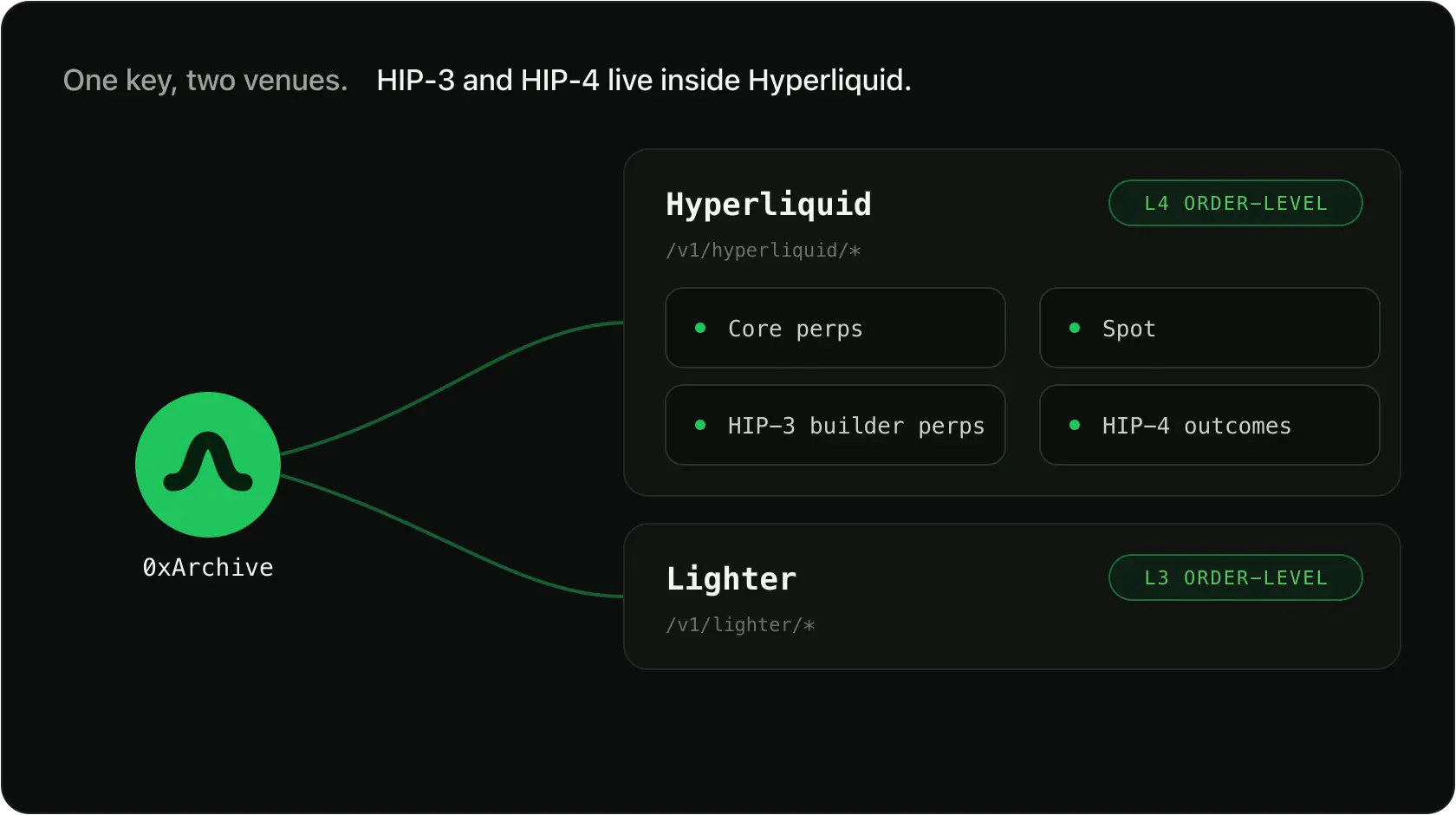
One key, routes that change by venue scope.
- Lighter is a separate venue API under
/v1/lighter/, with tick-level order book history and L3 order-level depth. - HIP-3 builder perps sit under the Hyperliquid namespace at
/v1/hyperliquid/hip3/, with L4 depth.
Final takeaway
Native Hyperliquid is aggregated levels and recent fills. The full order book, every order and the wallet behind it, is a different object. Pull a recent book to see the shape, then reconstruct an L4 window when the question lives between the levels.
If you are sizing this for a rerunnable backtest, Hyperliquid Historical Data API for Backtesting covers the native-versus-managed call.
Create a free key, pull the L2 book on your first call, and reconstruct an L4 window on the same symbol. Upgrade for higher limits, wider query or depth envelopes, faster replay, and exports, not because the route family is locked away.